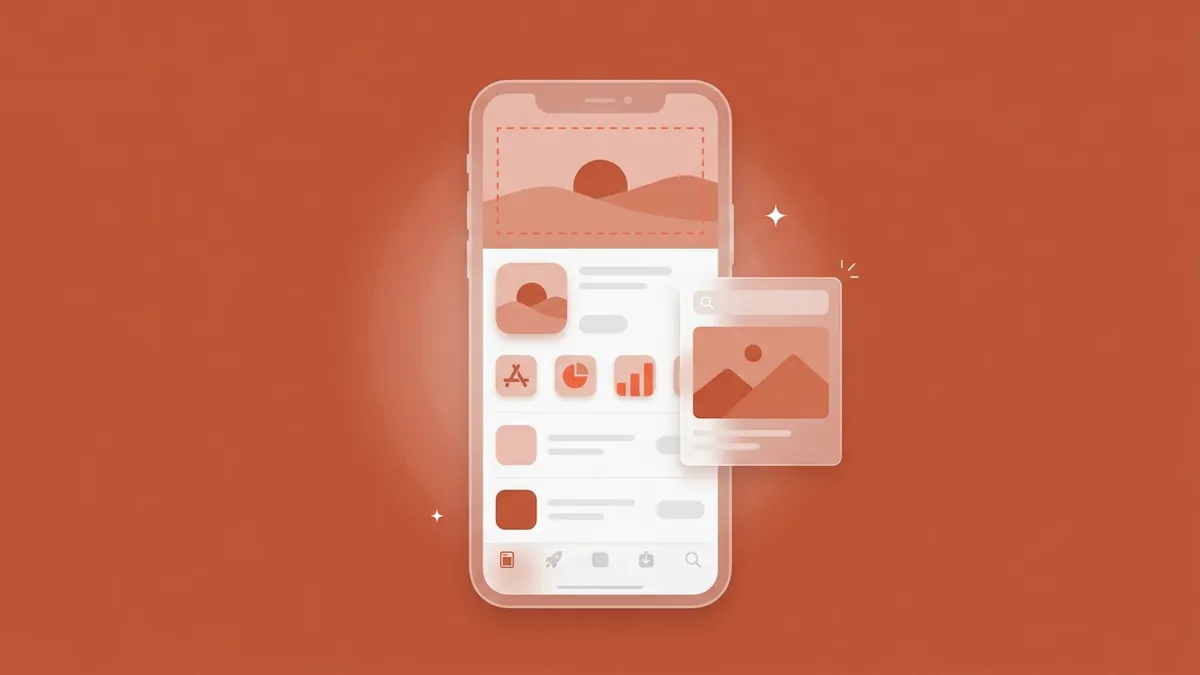
Apple's new App Store creative assets let every developer put brand creative, not only UI screenshots, at the top of the product page and inside organic search results. In 2026, Apple's advertising site says over 850 million people visit the App Store every week. Citing 2022 data, it adds that almost 65% of downloads happen directly after a search (Apple Ads, Ads on the App Store, 2026).
Apple's guidance says what not to do but prints no pixel sizes, and the early recaps disagree on the aspect ratio. So we opened Apple's official templates and read the numbers from the files. Our earlier post covers what Apple announced at WWDC 2026. This one is the how.
Key Takeaways
- Header 3840×1646 px (≈21:9, not 3:2), search asset 3840×2560 px (3:2), universal asset 5244×2950 px (Apple templates, Aug 2026).
- Only 17.2% of the header canvas is art-safe.
- 4+ rating; no prices, discounts, URLs or ©. Seasonal means a theme, never a sale.
- Approved assets swap onto the header and search results without another review.
- The header is a brand asset. The search asset is a keyword asset.
iOS 27 shipped on September 14, 2026 (9to5Mac, 2026). Ten days later, Apple's What's New page still marks creative assets, the Asset Library and the preview tool "Coming this fall." Apple's September 9 news post also ends its creative-assets note with "Coming soon." We found no announcement that they're open. Until they are, every step below works as preparation.
Before you begin: what did iOS 27 change, and what do you need?
Apple defines creative assets as "rich images and videos that appear in the product page header and search results" (Apple Newsroom, June 8, 2026). In 2026, Apple says they show on iOS 27 and iPadOS 27 and later. They appear in the product page header and in search results, on the App Store and in the Apple Games app. You can also use them on custom product pages, in product page optimization tests and in Apple Ads (Apple Developer, What's New, 2026).
The header replaces the old "Feature Banner," which only selected developers could change, through Apple's editorial team (Phiture, June 2026). The search asset is the bigger shift. It takes over the screenshot row in your search result, and search is where most installs start. Your product page still needs screenshots at the standard App Store screenshot sizes.
Why the search results asset matters
Have these ready:
- Apple's templates: Photoshop and Pixelmator for all three assets, Figma and Sketch for the universal one.
- An iPhone and an iPad on iOS 27, plus Apple's preview tool once it ships. Planning for the foldable too? See iPhone Duo's two new screenshot sizes.
- Your keyword map, and one to two weeks for a first header and search asset.
Step 1: What sizes and safe areas do App Store creative assets use?
Apple's official templates set the product page header at 3840×1646 px, a ratio of about 2.33:1 (roughly 21:9). The search results asset is 3840×2560 px (3:2). The universal asset, which serves both placements, is 5244×2950 px, close to 16:9 (Apple Photoshop templates, dated August 5, 2026). The header is not 3:2, even though AppTweak's news log describes both assets as 3:2.
Outcome: three correctly sized canvases with the art-safe zones marked.
On September 24, 2026, we downloaded Apple's three Photoshop templates from its Asset Best Practices page (files dated August 5, 2026). We read each canvas from the PSD header and the bounds of the layer Apple named "Art Safe Area." All three are 16-bit RGB. A GitHub issue from September 20 (bannzai/SecChain #54) reports the same header numbers.
| Asset | Canvas | Art-safe area (share) |
|---|---|---|
| Product page header | 3840×1646 px (≈21:9) | 1646×661 px, centred (17.2%) |
| Search results asset | 3840×2560 px (3:2) | 2168×1030 px, centred (22.7%) |
| Universal (both placements) | 5244×2950 px (≈16:9) | 1402×962 px, above centre (8.7%) |
The three canvases to scale, with Apple's art-safe areas
Apple's instruction is to keep "focal point artwork … within the center of your composition to prevent any unwanted clipping" (Apple, Asset Best Practices, 2026). The header's safe area covers 42.9% of the width and 40.2% of the height. Anything outside it can be cropped on some device or orientation, so use that space for mood: sky, texture, colour. Never a logo or text.
What about the universal asset? It saves a production pass but has the smallest safe zone, and that zone sits above centre, at about 39% of the canvas height. Apple doesn't say why. We suspect the lower band gets cropped in one placement, so check it in the preview tool. Use it for a logo or one hero object, never a UI screen.
What about video, upload formats and Apple Ads specs?
Video uses the same frames: a poster frame that works as a still, value first, a smooth loop. Audio "is muted by default" in most cases, so treat sound as "brand texture" (Apple, Asset Best Practices, 2026).
As of September 24, 2026, Apple lists no upload formats, file-size caps or organic video length. SplitMetrics wrote on September 18 that organic dimensions "have not been published yet" (SplitMetrics, 2026). For Apple Ads, SplitMetrics and Qimai (via 36Kr) report 3:2 creative and 5 to 30 second video, which Apple Ads Help doesn't list yet. Treat both as provisional.
Check: view each export in Apple's preview tool on iPhone and iPad, both orientations, in Dark Mode. Until it ships, crop to the safe-area layer and see if the idea still reads.
Step 2: How do you brief a header differently from a search results asset?
Brief them as two different jobs. In 2026, Apple's Asset Best Practices tells you to build the header around "a single, clear idea" for a first-time visitor who has already tapped in. For search, it says to "state the obvious" and "showcase the firsthand experience," because that person is comparing results (Apple, 2026). The header sells the brand. The search asset sells the tap.
Outcome: two one-page creative briefs, each with a single idea.
| Product page header | Search results asset | |
|---|---|---|
| Job | Set the tone, express the brand | Make the purpose obvious at a glance |
| Show | Brand world, seasonal theme, new content | Interface, content or gameplay |
| Metric | Product page conversion | Tap-through from search |
The header doesn't work alone: Apple says the header, icon and screenshots "work together" (Apple, WWDC26 session 205). Its category examples are good starting points: aspirational imagery for outdoor apps, destinations for travel, gameplay or characters for games. If you add text, Apple wants "a short phrase that enhances your visual rather than describes it."
Keep your screenshot captions. With no search asset set, Apple shows your In-App Events, previews and screenshots instead, up to three screenshots depending on orientation (Apple, 2026). SplitMetrics agrees that captions are "where your keyword-bearing text already sits" (SplitMetrics, 2026).
Each brief needs an audience, one message, a focal object inside the safe area and localization notes. Then mock the rest of your listing in Store Page Preview; it doesn't render the header yet. For what moves installs on the page, see our product page conversion fundamentals.
Check: if the header brief describes a feature, or the search brief describes a mood, swap them.
Step 3: Which rules get App Store creative assets rejected?
In 2026, Apple requires every creative asset to meet a 4+ age rating, "even if your app's rating is higher." Its Asset Best Practices also rules out specific pricing, discounts, website URLs and copyright symbols. Unverifiable claims, other platforms' logos and Apple recognitions such as Editor's Choice or App of the Day are out too (Apple, Asset Best Practices, 2026).
Outcome: a checklist your designer runs before every upload.
Games get one more rule. Action imagery is fine, but no gore and no "weapons that are pointed directly at a person or the audience" (PPC Land, 2026).
| Passes | Gets rejected |
|---|---|
| Holiday-themed brand art | "50% off this week" |
| A third-party award you actually won | An "Editor's Choice" badge |
| Your own UI and characters | Another store's logo |
| An action shot | A weapon aimed at the viewer |
| A short, localized phrase | A URL or © line |
Standard App Review rules still apply. Apple says items that "contain placeholder content … cannot be approved" (guideline 2.1). Guideline 2.3 bars giving "the impression the app is something it is not" (Apple, App Review, 2026). Apple Ads creative gets a separate review, SplitMetrics reports, against guidelines Apple hadn't published by September 18 (SplitMetrics, 2026). Hold ad creative to the same no-pricing standard.
Check: run the table on every asset, including each localized variant.
Step 4: How do you get assets approved and schedule seasonal swaps?
You have two routes into App Review: with an app version, or standalone through the new Asset Library. At WWDC 2026, Apple said approved assets "are ready to be used across your app's Product Page Header and Search Results, without going through additional reviews" (Apple, WWDC26 session 205). On average, Apple reviews 90% of submissions in under 24 hours (Apple, App Review, 2026).
Outcome: pre-approved assets and a dated swap calendar through January.
Version-flow assets go live when the version is released. Library assets are submitted "standalone, without updating your version" (Apple, WWDC26 session 205). The App Store Connect API can automate both.
How creative assets move from submission to placement
How should you schedule seasonal swaps?
The Asset Library moves creative from the release calendar to the marketing calendar. But because pricing is banned, a "seasonal" asset means a seasonal theme, never a discount. The offer goes in an In-App Event or in promotional text, which Apple lets you update "at any time without having to submit a new version" (Apple, Creating Your Product Page).
Pre-approve the next two seasons plus an evergreen fallback, and set each revert date when you schedule the swap. Coordinate each swap with your events (see In-App Events and featuring nominations).
| Q4 2026 moment | Submit by | Swap live | Revert |
|---|---|---|---|
| Halloween | Oct 17 | Oct 24 | Nov 1 |
| Black Friday / Cyber Monday | Nov 13 | Nov 20 | Dec 1 |
| Holidays | Dec 3 | Dec 10 | Dec 27 |
| New Year ("new you") | Dec 18 | Dec 28 | Jan 20 |
These are our recommended dates, assuming the Asset Library opens in time; Black Friday is November 27, 2026. Why a week of buffer when most reviews take a day? First submissions of a new asset type are where surprises cluster. Our holiday ASO playbook for Q4 covers the metadata side.
Check: every row has an approved asset, an owner and a revert date.
Step 5: How should product page headers work with custom product pages?
Give each custom product page its own creative. Apple says creative assets work on custom product pages, and its WWDC26 session adds that you can "show a tailored asset for different search keywords" (Apple, 2026). In 2026, keyword-assigned pages appear in search in place of your default page, and each app can publish up to 70 (Apple, Custom Product Pages, 2026).
Outcome: a matrix pairing each keyword theme with a page, search asset, header and deep link.
The header is a brand asset. The search asset is a keyword asset. Once a keyword-linked page carries its own search creative, that creative becomes a keyword-level conversion lever. Plan search-asset production from your keyword map, not only the brand calendar.
Apple suggests using the same asset in the header and in search. Do it per page, so the tap lands on the image the searcher just saw. Keep forecasts honest, though. Apple reports a +2.5 point average gain, 156% over a 1.6% baseline, but that's referred traffic (Apple, 2026). AppTweak's 2025 Apple Ads data shows more typical lifts of 5.9% for apps and 3.5% for games (AppTweak, Dec 2025).
| Keyword → page | Search asset | Header | Deep link |
|---|---|---|---|
| "budget planner" → Budgeting | Monthly budget screen | "Plan your month" brand art | Budget tab |
| "bill reminder" → Bills | Upcoming bills list | Calendar motif | Bills screen |
| "savings goals" → Savings | Goal progress rings | Aspirational travel scene | Goals screen |
Illustrative example for a budgeting app, not client data.
Deep links, supported per page on iOS 18 and later, land the user on the matching screen (Apple, 2026). You won't build 70 at once, so use our framework to prioritize which custom product pages to build.
Check: search each keyword theme on iOS 27 and confirm the result shows that page's asset.
Step 6: How do you localize headers per storefront?
Localize any header that carries text, or leave the text out. Apple says you can "localize your metadata, including images and videos, to tailor your content to each region or country" (Apple, 2026). As of August 27, 2026, the App Store supports 43 currencies across 175 storefronts (Apple Developer News, 2026). One English phrase in a header travels to all of them.
Outcome: a list of markets getting a native header, a text-free one or the default.
Tier your markets. Those already sending volume get a localized header with culturally fitting imagery. Long-tail markets get a text-free header, which works anywhere.
Apple hasn't documented whether organic headers localize per language or per storefront. It matters, because a storefront can display a localization other than its home language. Until Apple says, see which localizations each storefront indexes.
Then culturalize, don't just translate. Follow the translate → localize → culturalize ladder, and give your strongest markets market-specific custom product pages with their own headers.
Check: preview each localized header in its language and confirm no text sits outside the safe area.
Step 7: How do you test a header with product page optimization?
Apple says you can "use product page optimization to test alternative header visuals" (Apple, 2026). In 2026, PPO runs up to three treatments, one test at a time, for up to 90 days, and Apple recommends waiting for 90% confidence before you act. Treatments can be localized (Apple, Product Page Optimization, 2026).
Outcome: a live header test with a written hypothesis and a stopping rule.
One caveat. As of September 24, 2026, Apple's PPO page still lists only icons, screenshots and previews as testable, so confirm the header appears as a treatment option first. Then test concepts, not colour tweaks: a lifestyle scene against a character close-up, not two shades of one sunset.
Is it worth the slot? Apple's limits mean roughly four tests a year, so weigh a header test against your first screenshot. And measure page conversion, not tap-through. For sample sizes and the peeking trap, run the test with statistical discipline.
Check: hypothesis, metric, minimum sample and end date are written down before launch.
What have we seen since iOS 27 launched, and which mistakes should you avoid?
Not much yet, and that's the honest answer. As of September 24, 2026, Apple still lists these placements as coming this fall, so nobody has real header-lift benchmarks. The useful early signal is production capacity. MobileAction sampled 1,200 U.S. App Store pages in the month to August 27, 2026. Only 16% carried an app preview, from 9% in Shopping to 32% in Games (MobileAction, 2026).
If most teams skip preview videos, how many will make seasonal header videos? Few. But don't assume video wins. SplitMetrics reports that "static creatives frequently outperform video, but it often depends on the app category" (SplitMetrics, 2026). Mistakes to avoid:
- Designing to the full canvas. Only 17.2% of the header is art-safe. Keep focal art inside the safe layer.
- Putting a price in seasonal art. It breaks Apple's rules. Theme in the art, offer elsewhere.
- Using the universal asset for UI. An 8.7% safe zone can't hold a screen. Use a logo or hero object.
- Stripping screenshot captions. They're still the search fallback. Keep the keyword-relevant ones.
- Relying on audio. It's usually muted. Tell the story silently.
- Submitting seasonal assets the week of. First reviews can surprise you. Submit seven days ahead.
Frequently asked questions
What are App Store creative assets?
They're images and videos for the product page header and search results on iOS 27 and iPadOS 27 and later. Apple says you can also use them on custom product pages, in product page optimization tests and in Apple Ads, managed from the new Asset Library in App Store Connect (Apple, 2026).
What size is the App Store product page header?
Apple's template sets the header at 3840×1646 px, about 2.33:1. The search results asset is 3840×2560 px (3:2) and the universal asset 5244×2950 px. Keep focal art inside the header's centred 1646×661 px safe area, which is 17.2% of the canvas (Apple templates, August 2026).
Do I need a new app version to change my header?
No. Apple lets you submit creative assets standalone through the Asset Library. Once approved, they can go on your header and in search results without additional reviews (Apple, WWDC26 session 205). As of September 24, 2026, Apple still lists the Asset Library as coming this fall.
What shows in search results if I don't upload a search results asset?
Your In-App Events, app previews and screenshots appear instead, just as they do today. Depending on orientation, up to three screenshots or three app previews can show in a result (Apple, 2026). That's why keyword-relevant screenshot captions still matter on iOS 27.
Can creative assets show prices or sales?
No. Apple's rules exclude specific pricing, discounts, website URLs and copyright symbols, and every asset must meet a 4+ age rating even if your app is rated higher (Apple, 2026). Show the season as a theme, and put the offer in promotional text or an In-App Event.
Can I A/B test the product page header?
Apple says yes, through product page optimization: up to three treatments, one test at a time, for up to 90 days (Apple, 2026). As of September 24, 2026, Apple's PPO page still lists only icons, screenshots and previews, so confirm the option in App Store Connect.
The bottom line
Creative assets reward teams that run them as a program, not a one-off upload:
- Specs: header 3840×1646, search 3840×2560, universal 5244×2950. Design for 17%, 23% and 9% safe areas.
- Roles: the header sells the brand; the search asset sells the tap, keyword by keyword.
- Rules: 4+ and no pricing, so seasonal means a theme.
- Workflow: pre-approve in the Asset Library, swap on a calendar, revert on a date.
- Multipliers: keyword-linked custom product pages, localized headers for volume markets, concept tests in PPO.
Want help running it? Our conversion optimization service covers this work, and a free 30-minute call is enough to audit your product page against the new surfaces.