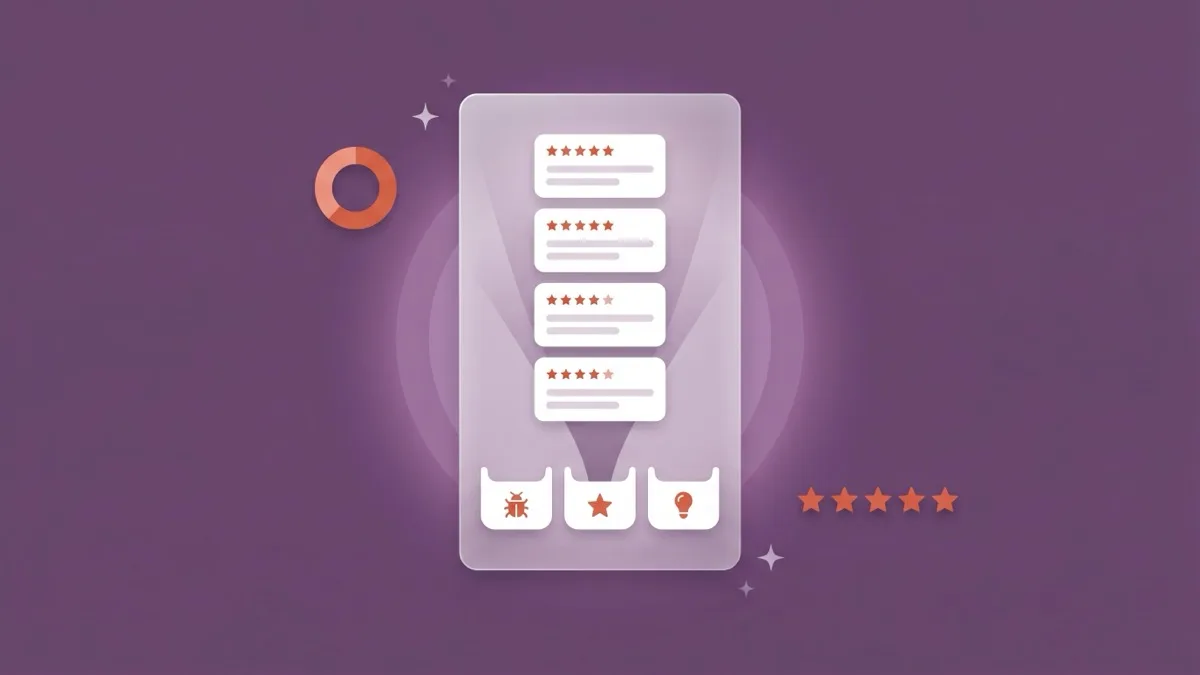
App Store review summaries arrived with iOS 18.4, which reached iPhones on March 31, 2025 (9to5Mac, 2025). Since then, eligible product pages have shown a short AI-written paragraph above the user reviews. Large language models write it. The raw material is your own reviews. In 2026 the paragraph appears in the United States and eight more English-language storefronts (Apple Developer, 2026).
You didn't write yours. You can't edit it, either. It may still lead with a complaint you fixed two releases ago, and most coverage still describes the US-only launch of 2025.
This guide starts with how Apple's pipeline picks what to say and where summaries show. Then it gets practical. You'll see how to track yours through an API few teams use, how to report a wrong one, and what actually moves the text. It pairs with our full guide to App Store ratings and reviews.
Key Takeaways
- Summaries are 100–300 characters, written by fine-tuned LLMs that pick themes by popularity, balance and freshness (Apple Machine Learning Research, 2025).
- In 2026 they show in 9 storefronts, all in English, and each storefront gets its own.
- You can't edit one. You can track it in App Store Connect or the API, and report factual errors.
- To change it, fix the top complaint, reply to the people who raised it, and prompt happy users after the fix.
What are App Store review summaries, and where do they appear?
An App Store review summary is a 100–300-character paragraph that Apple's large language models write from an app's user reviews. It exists to give shoppers "a high-level overview" before they read individual reviews (Apple Machine Learning Research, April 24, 2025). It sits just above the reviews. In 2026 it shows on product pages viewed on iOS 18.4 or later.
The feature arrived in steps. On October 29, 2024, 9to5Mac found an unlisted App Store article about them. It said summaries would be "available in select countries and regions and for apps with enough reviews to provide a summary" (9to5Mac, 2024). The iOS 18.4 beta carried them on March 5, 2025 (TechCrunch, 2025), the public release followed on March 31, and Apple published its technical write-up on April 24.
Three details matter for planning. MacRumors reported that Apple appears to generate the summary in the cloud, not on the phone (MacRumors, March 6, 2025). Only apps with enough reviews get one. Apple hasn't published the threshold. And the limit is 100–300 characters, not words, whatever some early coverage said.
For a growth team, placement is the point. The summary sits in the ratings and reviews block, in the same glance as your star average and first screenshots. You don't write it, yet it still sells your app, which puts it inside any plan for what moves product page conversion.
Treat it as a conversion surface, not a ranking factor. Apple hasn't said it indexes the text, and we've seen no evidence that it does. Vendor claims otherwise are speculation.
How does Apple's LLM decide what your summary says?
Popularity comes first. Apple's pipeline ranks your review topics by how often they appear. It then weighs "balance, relevance, helpfulness, and freshness," and keeps the result consistent with your overall rating (Apple Machine Learning Research, April 2025). That's stage 4 of the five that turn your reviews into one 100–300-character paragraph, and it's the stage your fixes and replies can move.
- Filter. Drop reviews with "spam, profanity, and fraud."
- Extract. A language model, tuned for this job, splits each review into short statements with one topic and one feeling each.
- Group. A second tuned model sorts those statements into topics.
- Select. Rank the topics, popularity first, using the extra criteria above.
- Write. A third tuned model writes the paragraph.
How Apple turns reviews into a summary: the five stages
Stage 3 decides which themes count. The pipeline tags each topic "App Experience" or "Out-of-App Experience," and Apple gives the second kind less weight. Its example is "opinions about the quality of food in a review for a food delivery app." So the themes most likely to reach your summary are ones you control: features, performance and design.
Stage 4 ties the text to your stars. Apple says it keeps the selected insights "consistent with the app's overall ratings." Freshness is a stated goal too. Apple calls timeliness a design challenge, because "app reviews change constantly due to new releases, features, and bug fixes." It doesn't say how much weight recent reviews get or how far back the window reaches.
Selected insights must match the overall rating, so a 3.9-star app won't get a glowing paragraph, however well it answers reviews. Tone follows the rating. Content follows the most frequent recent in-app themes. That's our reading of Apple's method, not a statement from Apple.
Quality control is human. Apple's raters scored "thousands of summaries" for safety, which needed a unanimous vote, and for groundedness, composition and helpfulness, which needed a majority. Apple also tuned the writing model to match human editors' preferences.
In practice, your summary is a weighted readout of the most frequent in-app themes in your review mix, tuned toward your rating. So change the mix. Arguing with the text won't move it. For a free approximation, run up to 500 recent reviews per storefront through our App Review Keyword Analyzer. Its "Complained about in 1–2★" column is our nearest proxy for the negative themes the model weighs, not Apple's pipeline. For decisions, categorize feedback into themes by hand.
How often do summaries refresh, and which storefronts have them in 2026?
Apple no longer gives a number. Its developer page says only that summaries "are regularly refreshed on an ongoing basis" (Apple Developer, 2026). Launch reports in March 2025 said at least once a week (MacRumors, 2025). As of September 28, 2026, Apple lists the United States plus eight English-language storefronts: Australia, Canada, India, Ireland, New Zealand, Singapore, South Africa and the United Kingdom.
Last verified against Apple's pages: September 28, 2026.
| Storefront | API territory code | Review summaries, Sep 28, 2026 |
|---|---|---|
| United States | USA | English (since iOS 18.4, March 2025) |
| United Kingdom | GBR | English |
| Canada | CAN | English |
| Australia | AUS | English |
| India | IND | English |
| Ireland | IRL | English |
| New Zealand | NZL | English |
| Singapore | SGP | English |
| South Africa | ZAF | English |
| All other storefronts | n/a | Not listed by Apple |
Apple calls this "a phased rollout." The same text appears under Discovery and marketing enhancements on Apple's What's New in App Store page. It sits next to WWDC 2026 material. Apple gives no launch date. For context, here's the rest of Apple's 2026 App Store changes.
Languages are the gap. In March 2025, Apple planned "additional markets and languages over the course of the year" (TechCrunch, 2025). So far, its pages show more English storefronts, not more languages. iOS 27 widened language support for Dictionary, QuickType, Siri and Visual Look Up (9to5Mac, September 18, 2026), but review summaries weren't on that list. If your biggest market is Germany, Japan or Brazil, shoppers there don't see a summary yet.
Apple's API reference describes each summary as covering "a specific App Store territory." Apple also says summary ratings are "specific to each territory" (Apple Developer, 2026). So your UK or India paragraph can say something different from the US one, which means checking every storefront you sell in, not just the one on your phone. This is our reading of Apple's documentation.
Two stores, two AI summaries: how they rolled out
So don't plan around a weekly cycle. Measure your own. The weekly log in the next section gives you a real number after about eight weeks.
How do you check and track your summary in App Store Connect?
In App Store Connect, open your app and click Ratings and Reviews. Select iOS at top right and a country or region at top left, and the summary appears under Review Summaries (App Store Connect Help, 2026). To log it over time, use the Read Customer Review Summarizations endpoint, which Apple added in App Store Connect API 4.0.
Six App Store Connect roles can see it: Account Holder, Admin, App Manager, Customer Support, Developer and Marketing. The dashboard shows today's text. The API gives you a history you can store and diff.
GET https://api.appstoreconnect.apple.com/v1/apps/{id}/customerReviewSummarizations
    ?filter[platform]=IOS
    &filter[territory]=USA,GBR,IND
Per Apple's reference, filter[platform] is required (IOS, MAC_OS, TV_OS or VISION_OS), filter[territory] is optional, and limit goes up to 200. Each record carries four attributes, text, createdDate, locale and platform, plus a link to its territory (Apple, App Store Connect API, 2026). Territories use Apple's three-letter codes. We verified this in Apple's documentation, not with a live call, so test one request on your own account first.
- Every Monday, call the endpoint once for each storefront you sell in, up to all nine.
- Save the territory,
text,createdDateand your live app version as one row. - When
createdDatechanges, diff the text and tag which themes entered or left. - Note each release date and its What's New line beside the rows.
- After eight weeks, read off your real refresh interval and whether a fix moved the text.
This is a protocol for you to run. We're not publishing results from it here.
Don't read one paragraph in isolation. Pair the log with a sentiment metric; our guide shows how to track net sentiment per feature. For the other panels worth a weekly look, see the rest of App Store Connect's reporting.
How do you report an inaccurate review summary?
Use Report a Concern. Apple's App Store Connect Help lists five steps for review summaries, ending with choosing a concern, describing it and clicking Submit (App Store Connect Help, 2026). Anyone can also tap and hold the summary on the App Store to report it (Apple Developer, 2026).
- In Apps, select the app.
- In the sidebar, click Ratings and Reviews.
- At top right, select the iOS platform. To check one storefront, pick it from the country or region menu at top left.
- Click the ellipsis (…) next to the summary under Review Summaries, then choose Report a Concern.
- Choose a concern, enter a description and click Submit.
Report only when the text is wrong. If it's accurate but unflattering, a report won't help, and the fix is product work.
| What the summary does | Report or fix? | Evidence to attach |
|---|---|---|
| States a wrong fact (a feature you have, a price you don't charge) | Report | The exact sentence, proof of the feature or price, the storefront |
| Confuses your app with another app | Report | The sentence and what your app actually does |
| Contains offensive or unsafe text | Report | The sentence |
| Leads with a complaint you've fixed | Fix first; report only if post-fix reviews contradict it | Fix version and date, the release-note line, recent reviews that say it's solved |
| Leads with an accurate complaint | Fix | None. Ship the fix, then reply to the reviewers |
Write the description like a bug report. Quote the exact sentence, give the evidence (fix version, release date, a release-note excerpt, the count of recent reviews that contradict it) and name the storefront. One concern per report. That's our house format, not an Apple requirement.
Apple doesn't publish a response time. It doesn't say whether a report triggers a new summary, either. Individual reviews that break the rules are a separate job. Report them under the review itself instead of replying; "the customer who wrote the review won't be notified" (App Store Connect Help, 2026). Everything else deserves one of your developer responses.
What actually changes your App Store review summary?
Change the reviews and the summary follows. Apple builds it from the most frequent in-app themes, weighted for freshness and kept consistent with your rating. After a fix, Apple's advice is to mention it in your release notes. It also suggests you "consider replying to relevant reviews to tell these users about the fix" (Apple Developer, 2026).
What are the five levers?
- Fix the theme that dominates. Find the top 1–2★ theme in each storefront, ship the fix and name it in What's New. Our workflow shows how to prioritize which complaints to fix first.
- Close the loop with replies. "When you respond, the reviewer is notified and has the option to update their review" (Apple Developer, 2026). An updated review is fresh input for the summarizer (our inference). Apple suggests starting with "the lowest star ratings or those mentioning technical issues with the current version." On Google Play, a reply to a negative review lifts that rating by "an average of +0.7" (Google Play, Reviews, 2026).
- Prompt after the fix, inside the budget. Fire the in-app rating prompt at the success moment of the feature you just fixed. Avoid first launch and mid-task moments, and leave "at least a week or two between requests" (Apple Human Interface Guidelines, 2026). Don't call it from a button tap, because it "may not present an alert" (Apple StoreKit, 2026).
- Route support out of reviews. Apple asks you to make support contact "easy to find in your app and on your App Store product page" (Apple Developer, 2026). Fewer tickets written as reviews means fewer noisy themes. Apple gives out-of-app topics less weight, but it doesn't say how it treats a login or paywall complaint. Assume those count.
- Recover the rating as well. Tone tracks your overall rating, so theme fixes and rating recovery are one program, not two.
StoreKit shows the prompt up to three times in 365 days to someone who hasn't rated on that device. Someone who has rated sees it again only "if the app version is new, and if more than 365 days have passed since the person's previous review" (Apple StoreKit, 2026). So fresh, relevant post-fix reviews come mostly from people who haven't rated yet. You reach the people who complained through replies.
One user's review-prompt budget after a fix ships
What doesn't work?
A rating reset. Apple says "resetting your summary rating won't reset your app's written reviews" (Apple Developer, 2026), and written reviews are the summary's raw material. So a rating reset leaves its input in place (our inference from Apple's wording). Prompt shortcuts fail too:
- Custom review prompts. Guideline 5.6.1 says Apple "will disallow custom review prompts."
- Gating features behind a rating. Guideline 3.2.2(x) says apps "must not force users to rate the app, review the app" to unlock anything.
- Manipulating reviews. Guideline 5.6.3 says manipulating reviews "erodes customer trust and is not permitted" (App Review Guidelines, updated June 8, 2026).
Fake reviews face two filters. In 2025, Apple processed over 1.3 billion ratings and reviews and blocked close to 195 million fraudulent ones "from ever appearing" (Apple Newsroom, May 20, 2026). That's about 15%, or one in seven, by our arithmetic on rounded figures. The summary pipeline adds its own fraud filter on top.
Ratings and reviews Apple processed vs fraudulent ones it stopped
How long until a fixed theme leaves the text? Apple doesn't say. Our house rule: judge a fix after four to six weeks of post-fix reviews in your log, not after one refresh. That loop is the core of our ratings and reviews management. Along the way, the words users repeat can help you turn review vocabulary into keywords.
How Google Play's AI review summaries compare
Google Play has its own Gemini-written summary. Google announced "AI-generated app review summaries" in December 2024 (Android Developers Blog, 2024). On October 31, 2025, Android Authority reported a wider rollout, with a "Users are saying" paragraph in Ratings and reviews and chips that open reviews about each aspect (Android Authority, 2025).
The rules rhyme with Apple's. Only apps with enough reviews get one, and the threshold isn't public. Google also ran the rollout server-side, and it hadn't reached every device Android Authority tested.
Don't confuse it with Ask Play highlights, announced at Google I/O on May 19, 2026, which give "a high-level summary of complex searches" across apps (Android Developers Blog, 2026). That's a search surface. Our post on Ask Play highlights and Gemini covers it.
Developer tooling is thinner. Play Console's reviews analysis lets you "discover the main issues that users mention in your reviews" and see how those themes trend (Google Play, Reviews, 2026). As of September 28, 2026, we found no Google documentation of a Play Console view or a report path for the summary itself.
Prompting differs too. Google enforces a "time-bound quota" on the in-app review dialog. Its value "can be changed by Google Play without any notice." Don't trigger it from a button, and don't ask "Do you like the app?" first (Android Developers, 2026). Otherwise the playbook transfers. The one real difference is the chips: on Play, your top themes sit one tap from the listing.
| App Store | Google Play | |
|---|---|---|
| Engine | Five-stage, fine-tuned LLM pipeline | Gemini models |
| On the page | Paragraph above the reviews | "Users are saying" paragraph plus topic chips |
| Length | 100–300 characters | One paragraph; limit not published |
| Refresh | "Regularly refreshed"; weekly at launch | Not published |
| Markets | US + 8 English storefronts | Server-side rollout; scope not published |
| Developer view | App Store Connect and the API | Review themes in Play Console; no documented summary view |
| Report path | Report a Concern; tap and hold | Not documented |
| Prompt limit | 3 per 365 days for non-raters | Undisclosed time-bound quota |
For the other differences between the two stores, from indexing to ratings, see our side-by-side guide.
Frequently asked questions
How are App Store review summaries generated?
Apple filters out spam, profanity and fraud. Tuned language models then split reviews into single-topic insights and group them into themes. Apple picks themes by popularity, balance and freshness. Then it writes a 100–300-character paragraph that matches your overall rating, per its Machine Learning Research post of April 2025.
How often are App Store review summaries updated?
At the March 2025 launch, reports said at least once a week. Apple's developer page now says only that summaries are "regularly refreshed on an ongoing basis." To learn your real cadence, log the createdDate field from the App Store Connect API every week and note when it changes.
Which countries have App Store review summaries?
As of September 28, 2026, Apple lists the United States plus eight English-language storefronts: Australia, Canada, India, Ireland, New Zealand, Singapore, South Africa and the United Kingdom. Apple calls it a phased rollout and hasn't announced summaries in any other language.
Can I edit or remove my App Store review summary?
No. Apple generates it from your reviews, with no setting to edit, hide or opt out. If it's inaccurate, report a concern in App Store Connect. To shift future summaries, fix the dominant complaint, reply to the people who raised it, and prompt satisfied users after the fix.
Do review summaries affect App Store search rankings?
Apple hasn't said the summary text feeds search ranking, and we've seen no evidence that it does. Treat it as a conversion surface beside your star rating. It's built from the same written reviews that drive that rating, so work on one tends to help the other.
Does Google Play have AI review summaries?
Yes. Google announced Gemini-generated review summaries in December 2024. In October 2025, Android Authority reported a "Users are saying" paragraph with topic chips rolling out. As on the App Store, it appears only for apps with enough reviews, and Google hasn't published the threshold.
The bottom line
Your App Store review summary is a readout, not a verdict. It repeats what your recent reviewers say most often, in the tone your rating allows.
- What it is: 100–300 characters built from your most frequent in-app themes.
- Where: 9 English storefronts, each with its own summary.
- Track: weekly, via App Store Connect or
customerReviewSummarizations. - Report factual errors; fix accurate complaints.
- Change it: fix, release notes, replies, then post-fix prompts within 3 per 365 days.
- Skip rating resets and custom prompts. Neither cleans the text.
Run your recent reviews through the free App Review Keyword Analyzer to see which complaint your summary is likely to lead with. Then book a free 30-minute call, and we'll review your summaries in all nine storefronts. The fixed-price ASO audit is the usual starting point.