Google Play lets you show up to 50 different versions of your store page, each tuned to a different audience (Google Play Console). Yet most apps still serve one listing to everyone — the same page to a high-intent keyword searcher, a user tapping a paid ad, and a lapsed user you're trying to win back.
That's a lot of conversion left on the table. Custom store listings (CSLs) are one of the most underused levers on the Play Store, partly because teams confuse them with translated listings and partly because nobody tells you which one to build first. This guide fixes both: every targeting type, a setup walkthrough, how to measure lift, and a priority order so you don't waste effort building all 50.
Key Takeaways
- You can run up to 50 custom store listings per app, targeted by country/region, search keyword, install state, Google Ads campaign, or unique URL (Play Console).
- A custom listing is a different page for a segment — not a translation. CSLs are not auto-localized; you add each language manually (AppTweak, 2026).
- Don't build all 50. Start where your default page is most wrong for the traffic hitting it — usually your biggest paid campaign or highest-intent keyword cluster.
- Measure each listing on Store Listing Conversion Rate (acquisitions ÷ visitors) against the right baseline, not your blended average.
What are custom store listings on Google Play?
Custom store listings are alternative versions of your default Google Play page that serve different text and creative when a user matches a targeting rule or arrives through a specific campaign or URL. Google introduced them in 2019, and in 2026 you can run up to 50 per app. Nearly every element is editable per listing: app title, short and long description, icon, feature graphic, screenshots, and promo video. So a custom listing can be a light tweak or a full reframe (AppTweak, 2026).
This is a Google-only capability — though the gap has narrowed. Apple's closest equivalent, the App Store's custom product pages, now allows up to 70 audience-specific pages and, since 2025, organic keyword linking, while Google Play's country, install-state, and campaign targeting remains broader. The differences are part of the wider set of structural differences between the App Store and Google Play that shape how you run each store. On Android, the default listing is your catch-all; custom listings are how you stop treating every visitor the same. The same logic powers international growth on iOS — see how custom product pages support global expansion.
The mental model that keeps this straight: your default listing answers "what is this app?" A custom listing answers "why this app, for you, right now?" The job is to match the page to the intent that brought the user — the ad they tapped, the keyword they searched, or the market they're in.
Custom listings vs. translated listings: what's the difference?
This is the single most common point of confusion, and getting it wrong wastes both budget and reach. A translated (localized) listing is your default page rendered in another language. A custom store listing is a strategically different page — different message, screenshots, and value proposition — built for a segment. They operate on different layers: localization is a language layer, targeting is an audience layer.
The trap is assuming custom listings localize themselves. They don't. If you create one listing targeting several countries and supply a single language, every user in those countries sees that one language, regardless of their device settings (AppTweak, 2026). To serve multiple languages you add each translation to the listing by hand. Often you want both at once: a country-targeted custom listing that is also fully localized, so a user in Japan gets Japan-specific messaging in Japanese. If you're expanding into new markets, our guide to localizing the screenshots inside each listing covers the creative side of that work.
A custom store listing is a promise-matching tool, not a translation tool. Translation changes the language of the same promise; a custom listing changes the promise itself to fit who's looking. Decide which problem you're solving — "this user can't read my page" versus "this user needs a different reason to install" — before you build anything.
The five ways to target a custom store listing
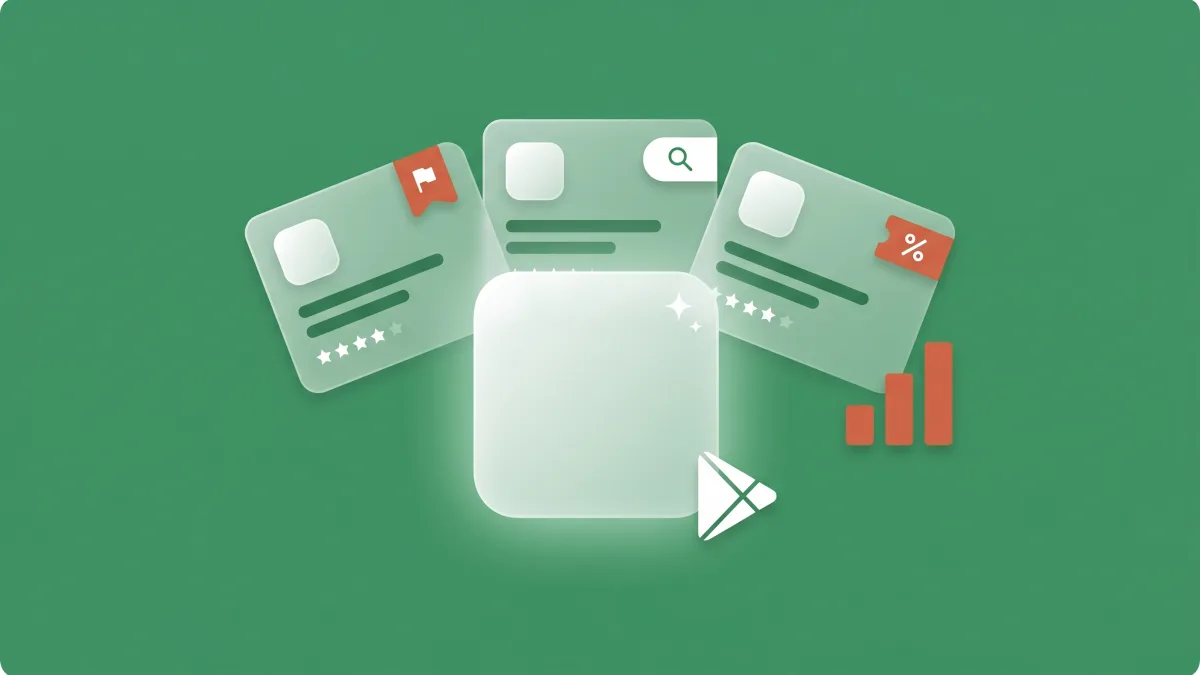
Google Play supports five targeting types, and each maps to a different moment in the user journey (MobileAction, 2026). Choosing the type is really choosing which moment you want to win:
| Targeting type | What it personalizes | Best moment to use it |
|---|---|---|
| Country / region | Local pricing, currency, partners, offers | Entering a market — the practical starting point |
| Search keyword | Screenshots and copy for one intent cluster | High-intent search themes (one listing per theme) |
| Install state | Pre-registration hype or win-back messaging | Before launch, or for users inactive 28+ days |
| Google Ads campaign | Creative that mirrors the ad they tapped | Any paid campaign, to recover ad-to-store drop-off |
| Unique URL | A page built for one off-platform source | Email, influencer, QR-code, or offline traffic |
Two of these reward a closer look. Keyword targeting works on intent clusters, not single isolated terms, so you design one listing around a theme — say, the "video editing" search space — rather than one exact query. And install-state targeting is the only type that speaks to people who already know your app: a pre-launch hype page for pre-registrants, or a fresh pitch for users who lapsed (AppTweak, 2026).
One constraint shapes how you plan: targeting can't overlap. Each country can be assigned to only one custom listing at a time. So you map your scopes deliberately rather than stacking rules that conflict (Play Console).
How to set up a custom store listing, step by step
In Play Console, go to Store presence → Custom store listings → Create listing. Choose your targeting type, set a default language for the listing, edit your assets, and publish. You don't need to rebuild everything — a focused change to two or three screenshots plus the short description is enough to start, and it isolates what actually moved the needle (MobileAction, 2026).
Two things trip people up. First, the "default language" you pick is what users see unless you explicitly add translations — so a multi-country listing with one language shows that language to everyone in scope. Second, use store listing groups to manage shared assets across listings: when your brand icon or a core screenshot changes, you update it once instead of editing every listing by hand. Groups keep a portfolio of listings consistent and maintainable as it grows.
Start with minimum viable changes, confirm the listing is targeting the scope you intended, and only then expand the creative. Building lean also makes the next step — measurement — far cleaner, because you're testing one clear idea per listing.
Which custom store listing should you build first?
Don't build all 50. Prioritize where your default page is most wrong for the traffic already hitting it. In practice that order is usually: (1) your biggest paid campaign, where an ad-to-store mismatch wastes real spend; (2) your highest-intent keyword cluster, where searchers have a specific need your generic page underserves; then (3) your top non-default market, where currency, pricing, or local proof would lift conversion.
A starting priority order for custom store listings
The mistake to avoid is creative-led ideation — building the listing that sounds fun rather than the one that fixes the biggest mismatch. If you don't know which traffic source is being served the wrong page, that diagnosis is exactly what a free ASO audit is built to surface. It usually pairs with keyword targeting for Google Play to decide which query clusters deserve their own listing.
Best practices for custom store listings in 2026
The apps that win with custom listings keep them disciplined. The patterns that consistently show up across the best-performing portfolios:
- One audience, one promise per listing. A listing that tries to speak to everyone is just your default page with extra steps. Design each around a single segment and a single primary message.
- Mirror ad creative to store creative. For campaign-targeted listings, the screenshots and headline should echo the ad. Message match is where ad-to-store drop-off gets recovered.
- Localize completely. Because CSLs aren't auto-translated, a half-localized listing reads as broken. Add every language the targeted countries need.
- Protect the default listing. Use custom listings for specialized messaging and keep your default page as the broad, brand-safe catch-all, and optimize the main listing's text first. Its long description is also what Google Play's AI appears to quote; see AI-surface discovery on Google Play.
- Use store listing groups for shared assets so the portfolio stays consistent and refreshes are one edit, not fifty.
- Refresh expired promos. A custom listing pushing last quarter's offer is worse than no listing at all.
Done well, the upside is real but variable: industry practitioners report custom-listing-driven growth ranging from roughly 5% to 50%, depending almost entirely on how well the listing fits the segment (Asodesk, 2026). The wide range is the point: a precise listing for a high-intent segment can move conversion sharply, while a vague one barely beats the default. The fundamentals of store conversion-rate optimization apply inside every custom listing, not just the default page.
How to measure whether a custom store listing is working
Track each custom listing separately in Play Console using Store Listing Conversion Rate (SLCR), which Google defines as store listing acquisitions divided by store listing visitors (Google Play Console field, 2026). For campaign-targeted listings, pair SLCR with cost-per-install and ROAS. That tells you whether the better page also bought cheaper installs. AppTweak cites a Square case where aligning the listing to the campaign drove a roughly 50% ROAS uplift and a 40% drop in cost-per-click (AppTweak, 2026).
Store Listing Conversion Rate by page (illustrative)
The measurement trap is comparing a custom listing to your blended average instead of to the default page for that same segment. A keyword listing should be judged against what those searchers convert at on your default page, not against your all-traffic number. Give low-volume listings time to reach a readable sample before you call a winner. Conversion rate isn't only an acquisition metric, either — it feeds the algorithm, which is why it shows up in our breakdown of Google Play ranking factors as a quality signal in its own right.
Custom store listings vs. store listing experiments
These two tools get conflated, but they do different jobs. Custom store listings segment your audience — a persistent, always-on page per audience. Store listing experiments test creative — an A/B split on a single audience to find a statistical winner (AppTweak, 2026). One decides who sees what; the other decides which creative wins.
They work best stacked. Use an experiment to validate which icon, screenshots, or short description converts best, then deploy that proven winner — either as your new default or inside the relevant custom listing. The common mistake is treating a custom listing as if it were an experiment: shipping it with no control and no clean before/after, then guessing whether it helped. Test to learn; segment to deploy.
Frequently asked questions
How many custom store listings can you have on Google Play?
Up to 50 per app, each tied to its own targeting rule. You can target by country or region, search keyword, install state (pre-registration or inactive users), Google Ads campaign, or a unique install-referrer URL. Each country can map to only one custom listing at a time (Play Console).
Are custom store listings automatically translated?
No. Custom listings are not auto-localized. If you target several countries with one listing and supply a single language, every user in those countries sees that one language. To serve multiple languages you add each translation manually (AppTweak, 2026).
What's the difference between a custom store listing and a localized listing?
A localized listing translates your default page into another language. A custom listing is a strategically different page — different message, screenshots, and value proposition — for a specific segment. They can be combined: a country-targeted custom listing that is also fully localized.
Can you target a custom store listing by keyword?
Yes. Search-keyword targeting serves a tailored page to users arriving on a query. It applies to broader intent clusters rather than single isolated terms, so you build one listing around a theme such as "video editing" rather than one exact keyword (MobileAction, 2026).
How do you measure a custom store listing's performance?
Track each listing in Play Console using Store Listing Conversion Rate (acquisitions ÷ visitors), plus cost-per-install and ROAS for campaign-targeted listings. Compare each custom listing against the default page for the same segment, not your blended average.
The bottom line
Custom store listings turn one Play Store page into up to 50, each matched to a specific audience. The whole feature rewards precision over volume:
- Pick the targeting type that matches the moment — country, keyword, install state, ad campaign, or URL — and remember a listing is a different promise, not a translation.
- Build the highest-mismatch listing first (usually your top paid campaign or keyword cluster), starting with minimum viable changes.
- Measure Store Listing Conversion Rate per listing against the right baseline, and pair custom listings with experiments — test to learn, segment to deploy.