
Apple rebranded Apple Search Ads to simply "Apple Ads" in April 2025 (Apple Ads, News, April 14, 2025), and the case for automating it has only grown since. Run more than a handful of campaigns and you hit a wall: you can't re-price keywords fast enough by hand, so you either overspend on saturated terms or underbid your winners into invisibility. Automation is how you escape that wall — but most guides to it are written by the tool selling the automation, so they describe features and skip the parts that lose money. This is the operational version: the rules we actually turn on for client accounts, the thresholds we set them at, the order we roll them out, and the failure modes nobody markets. If you have not settled on a platform yet, start with how to choose the right AI tool for ASO and Apple Ads.
The reason it's worth getting right sits in the numbers. Apple Ads convert at roughly 66% on average — among the highest of any paid channel — but the taps that get you there are scarce and unevenly priced, so the gap between a tidy account and a wasteful one is large and immediate (SplitMetrics, 2026). Automation exists to close that gap consistently, at a speed no human review keeps up with.
Key Takeaways
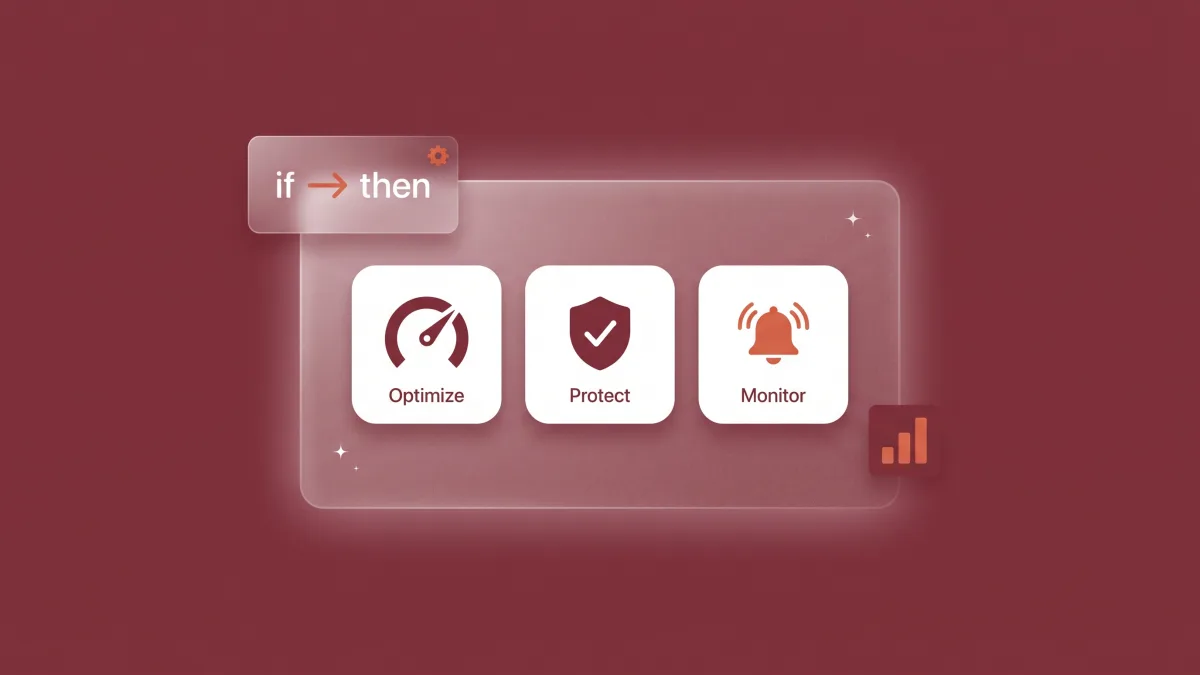
- Apple Ads automation replaces manual, keyword-by-keyword bidding with rules built around three jobs: Optimize, Protect, and Monitor.
- Roll out in order: fix campaign structure first, then Monitor rules, then Optimize, then the discovery-to-exact pipeline, then Protect.
- Never let a rule act on thin data. A practical floor is ~20+ taps over a 7–30 day window (AppTweak, 2026).
- Apple's dashboard has no rule engine, so rule-based automation needs a platform — SplitMetrics Acquire is free under ~$25K/mo spend. Since February 2026, Apple's own Maximize Conversions handles goal-based bidding in search results.
- Measure on ROAS via an MMP, not installs. And remember: automation optimizes the bid, never the strategy.
What is Apple Ads automation?
Apple Ads automation is the use of rules, workflows, and AI to manage campaigns without constant manual intervention. Instead of adjusting bids keyword by keyword, you define a condition — a cost-per-acquisition threshold, an impression-share drop — and the action that fires when it's met. Every rule has the same four parts: a scope (campaign, ad group, keyword, or search term), a condition that triggers it, an action it takes, and a frequency at which it checks (Moburst, 2026). Get those four right and the rule runs your account the way you would, only faster and without weekends off.
It helps to separate two things people lump together. Rule-based automation is deterministic: you set the logic, and it executes exactly that. Smart or AI bidding is predictive: the platform sets bids toward a goal like target ROAS using its own model. Most teams should start with rules, because rules are legible — when something goes wrong you can read the condition that caused it. The thing to hold onto throughout is that automation is never "set and forget." It's "set, watch, refine." The rules handle the speed; you still own the judgment about which keywords deserve to exist at all. That judgment is the campaign work behind our Apple Search Ads management, which sits inside the wider iOS app marketing mix.
What types of Apple Ads automation rules should you use?
Build around three rule families. Optimize rules re-price keywords on performance: decrease bids when a keyword's cost per acquisition exceeds the campaign average, increase bids on cost-efficient keywords with headroom, and ease off keywords already saturating impression share above ~90%. Protect rules defend your best terms: raise a bid automatically if a top performer's visibility drops below ~90%. Monitor rules don't touch bids at all; they fire alerts on budget saturation and CPA thresholds so a human steps in (AppTweak, 2026). Start with Optimize and Monitor; add Protect once you know which keywords are actually your winners.
| Rule family | Example trigger | Action |
|---|---|---|
| Optimize | Keyword CPA exceeds the campaign average | Lower the bid |
| Optimize | Cost-efficient keyword with impression-share headroom | Raise the bid |
| Protect | A top performer's visibility drops below ~90% | Raise the bid to defend it |
| Monitor | Budget saturates or CPA crosses your ceiling | Alert a human (no bid change) |
The metric you trigger on matters as much as the rule. Cost per install is the cheapest signal to act on but the least meaningful; cost per acquisition is better; ROAS is best, though it needs attribution data we'll come to. The other non-negotiable is that each campaign type needs its own thresholds. A Brand campaign, a Generic campaign, a Competitor campaign, and a Discovery campaign have completely different cost and conversion profiles, so one global "lower the bid if CPA > $3" rule will starve your brand terms while leaving Discovery waste untouched. Set rules per campaign type, not per account, and measure brand incrementality with a holdout before any rule decides what a brand click is worth. The keyword structure those rules act on comes out of real App Store keyword research.
Why Apple Ads reward optimization: average vs. category-leading performance (2025)
How do you set up your first Apple Ads automation rules?
Roll out in order, not all at once. The sequence that avoids self-inflicted damage is: (1) fix structure first — separate Brand, Generic, Competitor, and Discovery campaigns so rules read clean signals; (2) turn on Monitor rules to learn your baselines with zero risk; (3) add Optimize rules with conservative thresholds; (4) build the discovery-to-exact pipeline; (5) add Protect rules last. Each step assumes the one before it is solid. Automating bids before your campaign structure is clean just automates the confusion faster.
In our own client accounts, the first rule we arm is deliberately boring: pause any Discovery keyword that has spent past roughly 1.5× the campaign's target CPA across 20-plus taps without a single install. It almost never misfires, and it reclaims the most obvious waste in week one. Only once that has run clean for a few days do we add anything that raises bids, because a rule that spends more is far less forgiving of a bad threshold than one that simply stops the bleeding.
The single most important setting is the data floor. A rule should never act on a keyword with too little evidence — a practical minimum is around 20 or more taps over a 7-to-30-day window before a rule is allowed to change a bid (AppTweak, 2026). Below that, you're reacting to noise: two unlucky days can convince a rule to bury a keyword that was fine. Two habits make this safe in practice. First, run new rules in alert-only mode for a week before letting them change bids, so you can see what they would have done. Second, match rule frequency to data freshness — checking hourly against a 30-day window just means acting on the same stale average over and over. Build the rule, watch it, then arm it. The keyword work underneath this is our keyword optimization service.
The order to roll out Apple Ads automation
How do you automate the discovery-to-exact keyword pipeline?
The highest-return automation in Apple Ads isn't bidding — it's keyword hygiene. Run a Discovery campaign on broad match and Search Match to mine terms you'd never think to target, automatically promote any keyword that clears a meaningful impression count and a strong conversion rate (a common bar is above ~40% conversion) into a dedicated exact-match ad group with its own bid, and add every keyword you already target as a negative in Discovery so you never pay twice for the same term (AppTweak, 2026). Automating this loop is where most wasted spend quietly disappears. The same winners then feed the paid-to-organic keyword loop.
The failure this prevents is overlap. Without negatives, your Discovery campaign competes against your own Generic and Brand campaigns for keywords you're already winning, inflating cost on terms you didn't need to rediscover. The promotion logic is just as concrete: a discovered "budget planner app" term converting at 45% with steady impressions belongs in exact match with a higher, dedicated bid; an "expense tracking app" term burning budget at a poor conversion rate gets demoted or negated. Done by hand, this is a weekly chore everyone skips. Automated, it runs every day and compounds. The platforms that execute it well are the subject of our companion roundup on the best Apple Ads tools.
The discovery-to-exact pipeline: where each step closes a leak
Can you automate Apple Search Ads without a third-party tool?
Only partially. Apple's native Apple Ads dashboard gives you Search Match for automatic keyword discovery and built-in budget suggestions, but it has no rule engine — there's no native way to say "if CPA exceeds $3, lower the bid." So genuine rule-based bidding requires a platform, although for goal-based bidding in search results Apple now offers Apple's native Maximize Conversions bidding, open to all advertisers since February 2026 (Apple Ads, News, 2026). SplitMetrics Acquire is free for accounts spending under roughly $25,000 a month, which covers most indie studios (GetApp, 2026); AppTweak's Campaign Manager offers presets, custom rules, and AI smart bidding; and SearchAds.com by MobileAction specializes in automated, ROAS-led bidding (SplitMetrics, 2026).
The honest line on when you need one: under roughly $5,000 a month on a single app, Apple's free dashboard plus a disciplined weekly manual check is often enough, and the money is better spent on your product page than on a subscription you won't fully use. You cross into needing a platform the moment you have multiple campaigns or apps, a cost per acquisition that's drifting upward faster than you can correct by hand, or a need to bid on revenue rather than installs. Those are the three upgrade triggers. For the full platform-by-platform breakdown — pricing, free tiers, and what each is genuinely best at — see our guide to the best Apple Ads tools in 2026. The work the dashboard can't do for you, ever, is fix the listing the ad points to, which is where a free ASO audit starts.
How do you measure whether automation is working? (ROAS & MMPs)
A rule can lower your cost per install and still lose you money. It can't see what a user does after the install, so it might be buying cheap installs that never convert to revenue. The metric that matters is ROAS, and that needs a mobile measurement partner (MMP). Adjust, Branch, and Singular are the leading MMPs that integrate with Apple Ads to stitch post-install events to ad spend, so your rules can bid on value instead of raw installs (Kochava, 2026). Without one, automation optimizes toward the wrong outcome with great efficiency. The cost baselines to judge those ROAS thresholds against are in what Apple Search Ads cost in 2026.
An MMP adds the post-install layer — events, lifetime value, ROAS, fraud protection — that lets an automation rule pause a cheap-install keyword whose users never pay, and scale an expensive one whose users do. The catch in 2026 is Apple's privacy framework: SKAdNetwork, now alongside AdAttributionKit, makes attribution aggregated, delayed, and probabilistic rather than the deterministic, user-level data marketers once had. That has two consequences for automation. Your ROAS signals arrive later, so rules acting on them need longer windows; and interpreting privacy-safe, aggregated data well is now a specialist skill, which makes a good MMP more essential, not less. The conversion your automated ads ultimately pay for is the same one we work on in how to increase your app conversion rate.
What are the biggest Apple Ads automation pitfalls?
Automation fails in predictable ways, and we've tripped most of them ourselves. Early on, a bid-down rule we'd set too aggressively quietly starved a profitable brand keyword. It read two slow days as underperformance, cut the bid, and the term fell out of its top slot before our Monday review caught it. The fix was a higher data floor and exempting brand keywords from blanket bid-down rules. That exemption matters most when defending brand terms through an app rename. The five failure modes we now design against: firing on too little data (a rule that bids a keyword down off two bad days); a too-aggressive bid-down rule that starves a profitable brand keyword; discovery-to-exact overlap with no negatives, so you pay twice for the same term; one global threshold applied across campaign types that need different ones; and "set and forget" drift, where nobody reviews the rules for weeks while cost per acquisition climbs. Every one is cheap to prevent and expensive to ignore.
The cures are the safeguards from earlier, applied as habits: conservative thresholds, a data floor before any rule acts, separate rules per campaign type, an alert-only break-in period, and a standing weekly review where a human reads what the rules did and adjusts. There's a deeper point underneath the checklist, though. Automation amplifies whatever you give it — point well-tuned rules at a messy account or a weak product page, and you'll reach the wrong outcome faster and at higher volume. That's the real lesson of the section above: most teams reach for bid automation when their actual leak is campaign structure or a custom product page that doesn't convert. Fix those first, and the automation has something worth amplifying. The conversion side of that is our conversion-rate optimization work.
Automation optimizes the bid, never the strategy. A rule can only re-price the keywords inside the structure and product page you hand it — it can't decide which keywords are worth owning, build the right custom product page, or know when a campaign should die. The uncomfortable truth: bad ASO breaks automation, but automation never fixes bad ASO. If your CPA is high because the tap lands on a listing that doesn't convert, no bidding rule on earth will save the campaign. Automate the bid; fix the page first.
Frequently asked questions
What is Apple Ads automation?
It's using rules and AI to manage campaigns without constant manual work — defining conditions (like a CPA threshold) and the bid actions that fire when they're met, across three jobs: Optimize, Protect, and Monitor (AppTweak, 2026).
Which Apple Ads automation rules should I set up first?
Start with Monitor rules (budget and CPA alerts) to learn your baselines, then add conservative Optimize rules, and add Protect rules last. Build the discovery-to-exact pipeline early — it closes the most wasted spend (Moburst, 2026).
Can you automate Apple Search Ads without a third-party tool?
Only partially. Apple's native Apple Ads dashboard offers Search Match and budget suggestions but has no rule engine, so you cannot set conditional rules like 'if CPA exceeds X, lower the bid.' Genuine rule-based bidding requires a platform such as SplitMetrics Acquire, which is free for accounts spending under roughly $25,000 per month, or AppTweak (SplitMetrics, 2026). Under about $5,000 a month on one app, native plus manual checks is often enough, and since February 2026 Apple's own Maximize Conversions bidding covers goal-based bidding in search results.
Does automated bidding actually lower your CPA?
It can, by re-pricing keywords faster than manual checks — but only on top of sound structure and a strong product page. A rule can lower install cost and still lose money if those installs never convert, which is why ROAS and an MMP matter (SplitMetrics, 2026).
Is Apple Ads automation "set and forget"?
No. It needs conservative thresholds, a minimum-data floor before rules act, separate rules per campaign type, and a weekly human review. The most common failure is a rule firing on too little data or running unwatched as CPA drifts (AppTweak, 2026).
The bottom line
Apple Ads automation is leverage, not autopilot. Done in the right order, it reclaims the spend that manual management can't catch fast enough. The playbook, condensed:
- Three rule families: Optimize (re-price on performance), Protect (defend your winners' visibility), Monitor (alert on drift).
- Roll out in order: structure → Monitor → Optimize → discovery-to-exact pipeline → Protect.
- Respect the data floor: ~20+ taps over 7–30 days before a rule acts, and an alert-only break-in week.
- Tooling: Apple's dashboard has no rule engine; SplitMetrics Acquire (free under ~$25K/mo) or AppTweak add one.
- Measure on ROAS: connect an MMP (Adjust, Branch, Singular) so rules bid on revenue, not installs.
And the rule that outlasts any subscription: the tool automates the bid, but the strategy and the product page move your CPA. If someone on your team owns that loop, build your rules and run them well. If not, the honest move isn't more automation — it's handing the account to a team that already holds a low CPA. A free ASO audit is the cheapest way to see what your listing is leaving on the table before you automate spend on top of it.